
The command center for every claim file.
Files rarely fall apart because a number was wrong. They fall apart because the estimate, the photos, the emails and the deadline lived in six different places.
ClaimFileHQ puts carrier assignments, Public Adjuster referrals, homeowner files and dispatched work each on their own workflow, with email, documents, photos, tasks, billing and status on one claim record.
- No more rebuilding the final package out of six folders and an inbox
- A different workflow for every source of work, not one shared pipeline
- Native appraisal, umpire & final-package stages
- Intake forms on your own website open the file for you
A CRM where the record is the claim file.
General CRMs organize around a contact and a deal. A claims management CRM organizes around the file: the assignment, the inspection, the estimate, the position, the umpire, and the final package all belong to one record — and so does everyone who touches it.
Stop running claims across multiple disconnected apps.
Right now the estimate is in one app, the photos in another, the schedule in a third, the correspondence in two inboxes, the tracker in a spreadsheet, the drive in a map. ClaimFileHQ is the one record they all land on.
The disconnected apps a claim file lives across today — Gmail, Outlook, Excel, Calendly, Google Maps, CompanyCam and Xactimate — flowing into one ClaimFileHQ claim record.
One claim record from assignment through closeout
Email, documents, photos, tasks, billing, and status stay on the file instead of beside it.
Client-specific workflows
A carrier assignment, a Public Adjuster referral, and a homeowner file each get their own stages and rules.
Appraisal-specific stages
Inspection, estimate and position, opposing appraiser, umpire, award, and final package are built in.
Partner Network privacy and dispatch controls
Dispatch across partner companies, 1099 contractors, and employees, with per-record visibility over what the network sees.
- Claim-file CRMClients & workflow managementDocuments & claim photo storageNotes & activity historyTasks & remindersEmail on the claim fileAutomationsAppointment & inspection trackingReportingBilling & invoicing
- Schedule Engine Photo Engine
Built around real insurance appraisal and claim workflows — not adapted from a general sales CRM.
One assignment, from the inbox to the road, with nobody re-typing it.
Twenty-six seconds of the real claims management CRM, no narration: an assignment arrives, the file opens, it is accepted, the inspection is scheduled, and the workflow carries on without being asked.
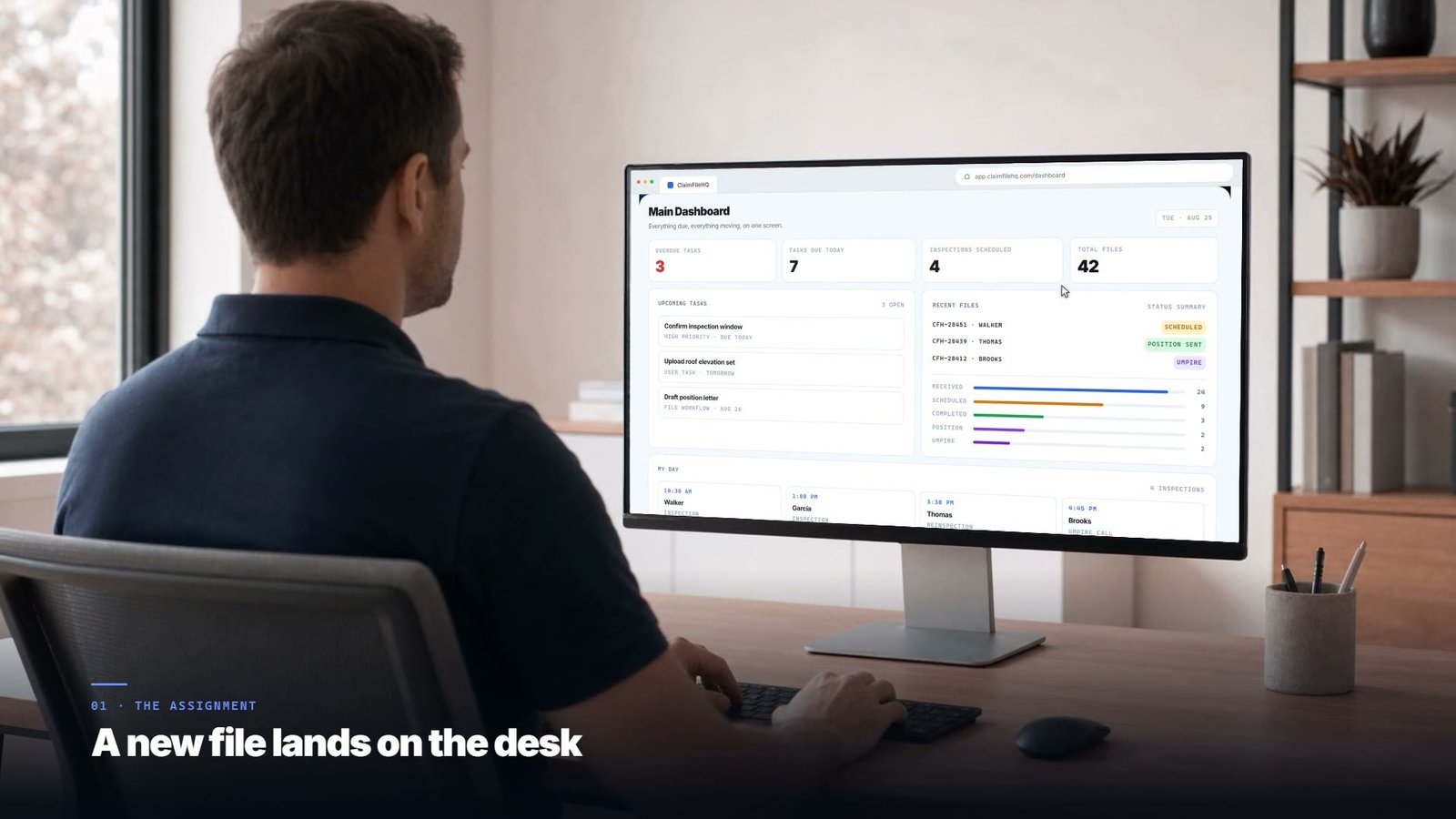
An assignment arrives while the day is still starting.
- An assignment arrives while the day is still starting.
- The whole record opens — claim, insured, loss, workflow position.
- It is accepted from the file itself, in one click.
- The inspection is scheduled against the rest of the day's route.
- The automations carry the file forward without being asked.
The screen the day starts on.
What is overdue, what is due today, which inspections are booked, and where every file sits in its workflow.
Main Dashboard
Everything due, everything moving, on one screen.
- Confirm inspection window
- Upload roof elevation set
- Draft position letter
- Walker
- Garcia
- Thomas
- Brooks
The workflow keeps running behind you.
Confirming the appointment. Chasing the missing declarations page. Following up on a position nobody answered. Automations do that part on a rule, at the moment the event happens.
Automation builder
Configure what happens when the file changes.
- An assignment is received
- Selected trigger: An inspection is scheduled
- Three days pass with no client contact
- A position letter is sent
- A file sits idle for seven days
- Closeout is requested
- Text the insured a confirmation
- Email the client contact
- Set a reminder for the day before
That is the product, not a mock-up. Run your own file through it.
Still typing every new file in by hand?
Embed the intake form directly on your website. When a homeowner, referrer, or carrier submits details, the claim file is instantly created, all uploaded documents are organized right into the workflow, and opening tasks are assigned before you even open your inbox.
A visitor fills in the intake form on your own website and submits it; a new claim file appears in the Homeowner workflow with the fields they entered and its first task already created.
Nothing is re-keyed
The fields the submitter fills in are the file's fields. Address, date of loss, carrier, claim number, photos — they arrive on the record, not in your inbox.
They act on your site, not on ours
The form lives on your domain in your brand, at any hour. The visitor who is ready does not hit an “email us” dead end, and does not get sent to a third-party form page.
One form, every channel
Every ad, referral link, and yard sign ends at the same door. What it collects, which workflow it opens, and what happens on submission are yours to configure.
Follow a single file from the inbox to the invoice.
You should never have to rebuild what the last stage already produced. The same claim at five points in its life, each one inheriting the assignment, the scope, the photographs, and the correspondence from the one before it.
- T. Walker
- Wind / Hail
- 08/18/2026
- Meridian Mutual
- Carrier Appraisal
- D. Whitfield
- Upload roof elevation set
- Draft position letter
- Assignment sheet.pdf
- Policy declarations.pdf
- Roof — north elevation
- Assignment received
- Inspection confirmed
- Scope question
The assignment arrives and becomes a file.
A carrier emails the assignment. Email-to-File recognizes the client, opens the claim, captures the attachments onto it, and threads the message into the record — before anyone has made a folder.
- Email-to-File
- Intake forms
- Documents
- claims@meridianmutual.example
- Meridian Mutual
- CFH-28451
- 3 files
- Contact insured within 24h
- D. Whitfield
- Aug 26
The file lands in the workflow that fits the work.
A carrier assignment moves differently from a homeowner referral. The file enters the Carrier / IA workflow with that workflow's own statuses, templates, and automation rules — and the rules start doing the remembering.
- Client Workflows
- Automations
- Tasks
- Carrier / IA
- Assignment received
- D. Whitfield
- J. Mitchell
- Text insured, email client
- Raise a follow-up task
- Flag to the manager
The visit is placed on a route, and the evidence comes back organized.
The inspection is scheduled into a field day built around where the properties actually are. On site, photos are captured against the claim and arrive already sorted by elevation, roof slope, and room.
- Schedule Engine
- Photo Engine
- Field notes
- Thu Aug 27 · 10:30 AM
- 4127 Northgate Ave
- 1 of 4 · 14 min to next
- SMS to insured
- 18 photos
- 6 photos
- 16 photos
- On the record
Scope becomes a position, and the dispute path is already on the file.
The estimate is built from what was observed. The position letter goes out, the response clock starts, and if the file goes to appraisal the opposing appraiser, revisions, and umpire activity are recorded on the same record.
- Documents
- Communications
- Review & revisions
- Built from observed scope
- Sent Aug 31
- Running
- REV · 02
- Demanded
- Named
- Selection in progress
The final package assembles from what is already on the file.
Nothing is gathered at the end, because nothing was ever anywhere else. The checklist runs against the record, the invoice goes out against the assignment, and the audit history closes with the file.
- Final package
- Billing
- Audit history
- Complete
- Complete
- 70 photos
- Complete
- Sep 04
- Issued against assignment
- Closed with the file
Different clients need different workflows.
A carrier assignment and a homeowner referral are not the same job, and one shared pipeline forces you to treat them as though they were. Each source of work gets its own intake, statuses, automations, templates, and reporting.
Assignment-driven work with service expectations, an internal estimate review before anything goes out, and a defensible claim file at the end.
· File received
A carrier assignment and a homeowner referral are not the same job. Set up a workflow for each and watch where the files go.
What every plan includes.
Nothing on this list is an upsell. You get the whole claim-file CRM on every plan from Solo Professional up — the two modules below are the only things priced separately.
Claim-file CRM
Every claim is a record with its own identity, workflow position, and history — not a row in a sales pipeline.
Clients & workflow management
Clients, contacts, and a separate workflow per source of work, all reporting into one dashboard.
- Carrier / IA
- Appraisal
- Public Adjuster
- Homeowner
- Contractor
- Attorney
- Partner organization
Documents & claim photo storage
Policies, estimates, correspondence, and photographs stored and versioned against the file they belong to.
Notes & activity history
Internal notes plus a timestamped record of meaningful actions on every file.
- File opened in Carrier / IA workflow
- Task created — contact insured within 24h
- Inspection confirmed for Thu Aug 27, 10:30 AM
- Client notified — inspection scheduled
Tasks & reminders
Work items with an owner and a due date, raised on the file rather than in someone's head.
Email on the claim file
Messages and attachments thread onto the record, so correspondence is not trapped in one inbox.
Automations
Rules that route files, create tasks, and send confirmations and reminders as events happen.
Appointment & inspection tracking
Appointments and inspections recorded against the claim, with the property and contact attached.
Reporting
Counts, statuses, and workload across files, clients, and client workflows — including when each runs its own stages.
Billing & invoicing
Invoices raised per file or per assignment, with outstanding balances tracked through closeout.
Every plan includes all of it, from Solo Professional up. The two modules below are the only capabilities priced separately.
Two products for the work that happens at the property.
These two are the only things you pay extra for. Everything above is already in your plan; these add the work that happens at the property.
Schedule Engine
Stop mapping addresses before you can offer a time.
Every plan already tracks appointments and inspections against the claim file.
- Reads the inspection locations already on your calendar
- Ranks dates by proximity to the stops you are already making
- Recommends inspection dates and times that fit your schedule
- Sends those windows to the parties as proposed times
- Booking links, and auto-schedule into the best-fitting window
- A booking approval queue before anything is confirmed
Photo Engine
Inspection evidence captured on site, already in report shape.
Every plan already stores claim photos on the file and keeps them with the record.
- Structured on-site capture against the open claim
- Claim-specific photo sets rather than one album
- Elevation, roof-slope, and room organization
- Field observations recorded with the photographs
- Report-ready output for the position letter and final package
Wherever these appear in a screenshot or demonstration on this site, they are labelled as optional modules. Schedule Engine and Photo Engine are optional modules, priced separately. See pricing for full plan and module details.
All of that is in every plan, from $199/mo. The two field modules are the only things priced separately.
Shared where it should be. Private where it matters.
Everything dispatch sends out is visible to every party on the file — nobody is guessing at status. What stays private is the assigned professional's own work product: their photos and their email correspondence. Documents are their call, one by one.
Built for third-party administrators, adjusting firms, and appraisal panels — anyone who dispatches claim work to people outside their own payroll.
Your own staff working every file together in one shared workspace, nothing dispatched outside the office? That is the Team plan — compare the two below.
Dispatched work — visible to all parties
Anything the organization sends out is open to everyone on the file. Dispatch, the Reviewer / Quality Assurance Analyst, and the assigned professional are all looking at the same record.
- The assignment and its instructions
- Claim, insured, property, and loss details
- File status and workflow position
- Acceptance, decline, and reassignment history
- Submissions, review decisions, and revision requests
Private to the assigned professional
Photos and email correspondence stay private to the assigned professional. Documents are controlled individually — each can be shared with the network or kept private.
- Photos they capture
- Their email correspondence
Separately, a professional's own clients and claim files — work they bring themselves, outside the network — are not part of the organization's pool and are not visible to it.
One platform, shaped to the file you actually work.
Find the one closest to how you actually work. Each page shows the workflows, statuses, and closeout that role runs, so you can see your own day in it before you sign up for anything.
Claim file software built for modern appraisers.
Manage carrier assignments, Public Adjuster and Attorney referrals, homeowner files, contractor-referred claims, inspections, estimates, position letters, billing, and final packages from one organized command center.
- Assignment receivedEmail intake captures the assignment and stages documents on a new file in the right workflow.
- Inspection scheduledBook the site visit, log measurements, and attach field photos to the file.
- Estimate & positionBuild scope and value, send the position letter, and track umpire status on disputed files.
- Final package & invoiceAssemble the final package, invoice the assignment, and close with full audit history.
- Carrier Files9
- Public Adjuster / Attorney5
- Homeowner Direct3
- Contractor Referrals1
- Schedule inspection
- Send position letter
- Assemble final package
- Role-based access controlOwners, managers, Reviewer / Quality Assurance Analysts, and staff see what their role permits.
- Organization isolationEach organization's data is scoped to that organization, with per-record visibility controls inside it.
- Encryption in transit & at restTraffic is served over TLS; stored data is encrypted at rest in the managed database and file storage.
Three ways to run it. One claim-file CRM.
Pick by how the work is staffed. Every plan includes the whole CRM — the two field modules, storage, and extra users are the only things priced on top.
You, working your own files.
$199/moIncludes 1 user · Includes 25 GB storage
One professional running their own files end to end, from assignment through final package.
- The complete claim file CRM
- Documents, notes & activity history
- Client & workflow management
Your own staff, one shared workspace.
$499/moIncludes 5 users · Includes 100 GB storage
Your own staff work the claim files together — everyone on the organization sees every file, by role.
- Your own staff, one shared workspace
- Everything in Solo Professional
- Reviewer / QA Analyst & manager roles
Work you dispatch outside your payroll.
$599/moIncludes 5 users · Includes 500 GB storage
TPAs, adjusting firms, and panels that dispatch work across partner companies, 1099s, and employees, and manage acceptance, review, and revisions on the file.
- Partner companies, 1099s & employees
- Acceptance, review & revision workflow
- Their photos & email stay private
Enterprise: Multi-office, contracted, or procured. Talk to us about Enterprise
Both run the same claim file. The difference is who works it and what they can see.
Who works the files
Your own staff.
Partner companies, 1099 contractors, and employees — inside and outside your own staff.
How work is handed out
Assigned inside the shared workspace.
Dispatched as an assignment the professional accepts or declines.
Who can see what
Everything is shared across the organization, by role.
Everything dispatch sends is shared; the assigned professional's own photos and email stay private, and each document they upload is published or withheld individually.
| Question | Team | Partner Network |
|---|---|---|
| Who works the files | Your own staff. | Partner companies, 1099 contractors, and employees — inside and outside your own staff. |
| How work is handed out | Assigned inside the shared workspace. | Dispatched as an assignment the professional accepts or declines. |
| Who can see what | Everything is shared across the organization, by role. | Everything dispatch sends is shared; the assigned professional's own photos and email stay private, and each document they upload is published or withheld individually. |
- Schedule Engine
- Photo Engine
Checklists and workflow guides for claim work.
What belongs in an appraisal file, how the umpire stage runs, and what to check before a final package leaves your desk. Free to read, no signup, no email required.
- Insurance Appraisal File ChecklistEverything that belongs in a complete appraisal file — from assignment through final package.
- Insurance Appraisal Workflow GuideHow a property insurance appraisal actually moves — and where files most often stall.
- Final Package ChecklistAssemble a complete, defensible final package before you close the file.
See what your claims operation looks like when the file becomes the center of the system.
Start a 14-day free trial and run a real file through intake, inspection, position, and closeout — or ask for a walkthrough first.