The whole claims management CRM, for one professional.
When one person carries every file, the file is wherever that person last left it: the estimate in one app, the photos on a phone, the deadline in a head. Solo Professional puts intake, documents, photos, email, tasks, automations, billing and reporting on the claim file itself, from the assignment landing to the final package going out.
Every plan starts with a 15-day free trial. A card is required to start it.
When the trial ends, your card is charged the plan’s monthly price, plus any add-ons you choose, and the plan renews monthly until you cancel. Cancel anytime in Settings → Billing; it takes effect at the end of the current period, so cancelling during the trial means you are not charged.
Built for solo appraisers, independent adjusters, and one-person firms, the professional who works the file end to end themselves.
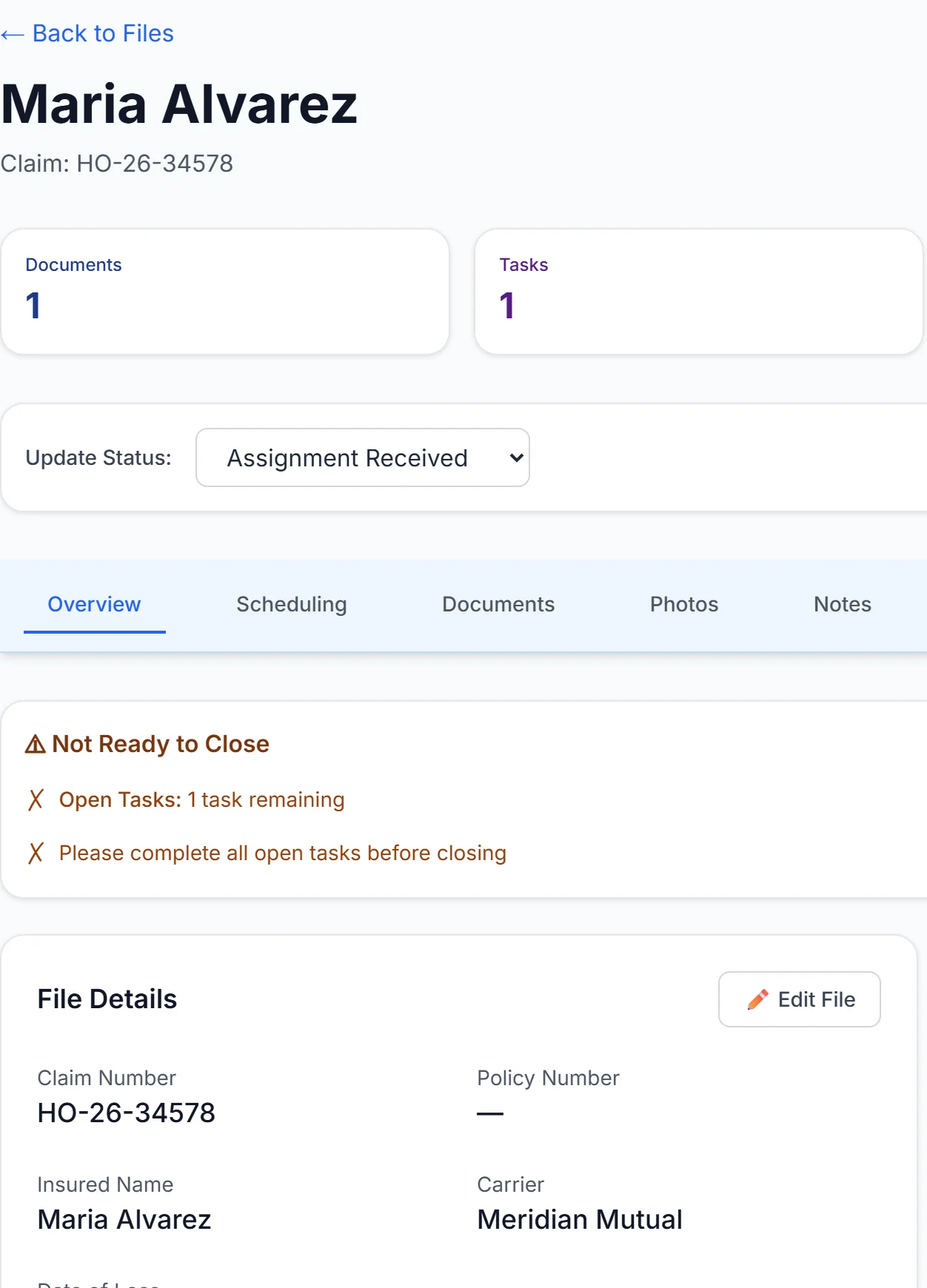
The claim followed here is HO-26-34578, Maria Alvarez, Wind / Hail · Tomball, TX.
Itstartswithaformonyourwebsite.
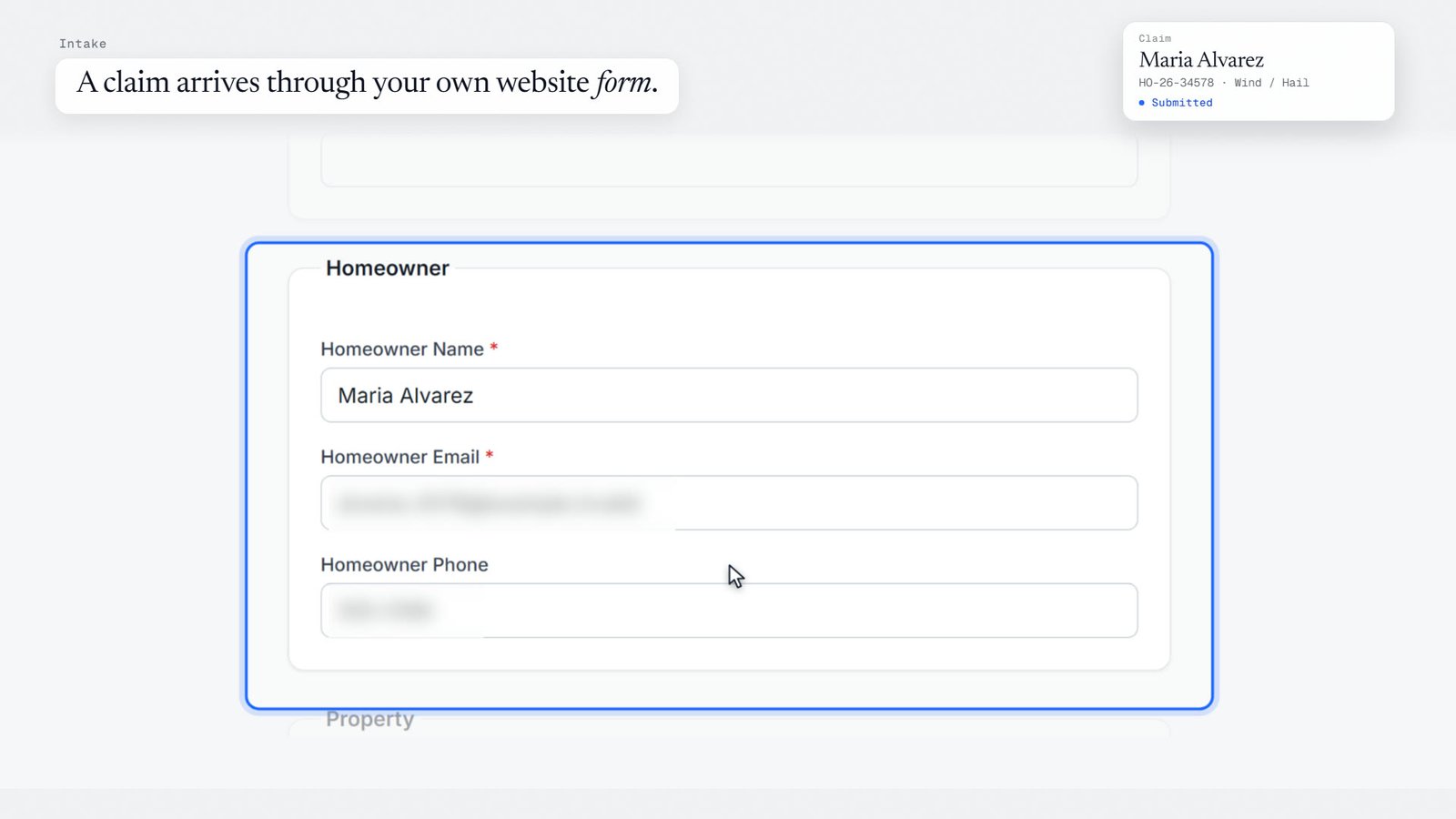
A homeowner, a referrer or a carrier fills in your intake form on your own domain, in your brand, and the claim lands in your Intake list with every field they completed.
Upload any relevant documents (PDF, images, Word).
Roof inspection request.pdf
Up to 25 MB each.
Photos
Choose files2 files
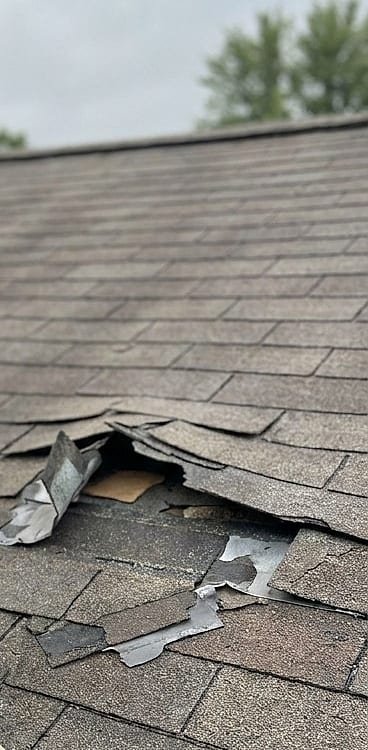
Upload photos of the damage.
roof-damage-1.jpg
roof-damage-2.jpg
Up to 25 MB each.
Notes
Hail hit the roof on 10/14. A tarp is up. Please schedule an inspection.
Anything else we should know?
Authorization
I authorize this company to review my claim and contact me about it. *
SubmitSubmitting…
Your information is sent securely.
✓
Thank you
Thank you — your information was received. Our team will review it and contact you.
app.claimfilehq.com/files/intake
Intake
New claims submitted through your website intake forms. Route submissions that have no workflow yet, and recover any that did not finish.
Needs Routing 0Processing issues 0Recent 1
The last 1 completed submissions. A submission marked Needs review is a possible duplicate that already has a file.
Oct 20, 2026, 9:12 AM
Maria Alvarez· maria.alvarez@example.com
Website intake · ABC Contracting website
Workflow: Contractor
Completed3 uploads
Show details
Open file
Example website
HO-26-34578Assignment received
Maria Alvarez
Wind / Hail · Tomball, TX
Theintakeformopensthefile.
A homeowner or referrer fills in your form. The claim file appears with its first task, and nothing is re-keyed.
app.claimfilehq.com/files/HO-26-34578
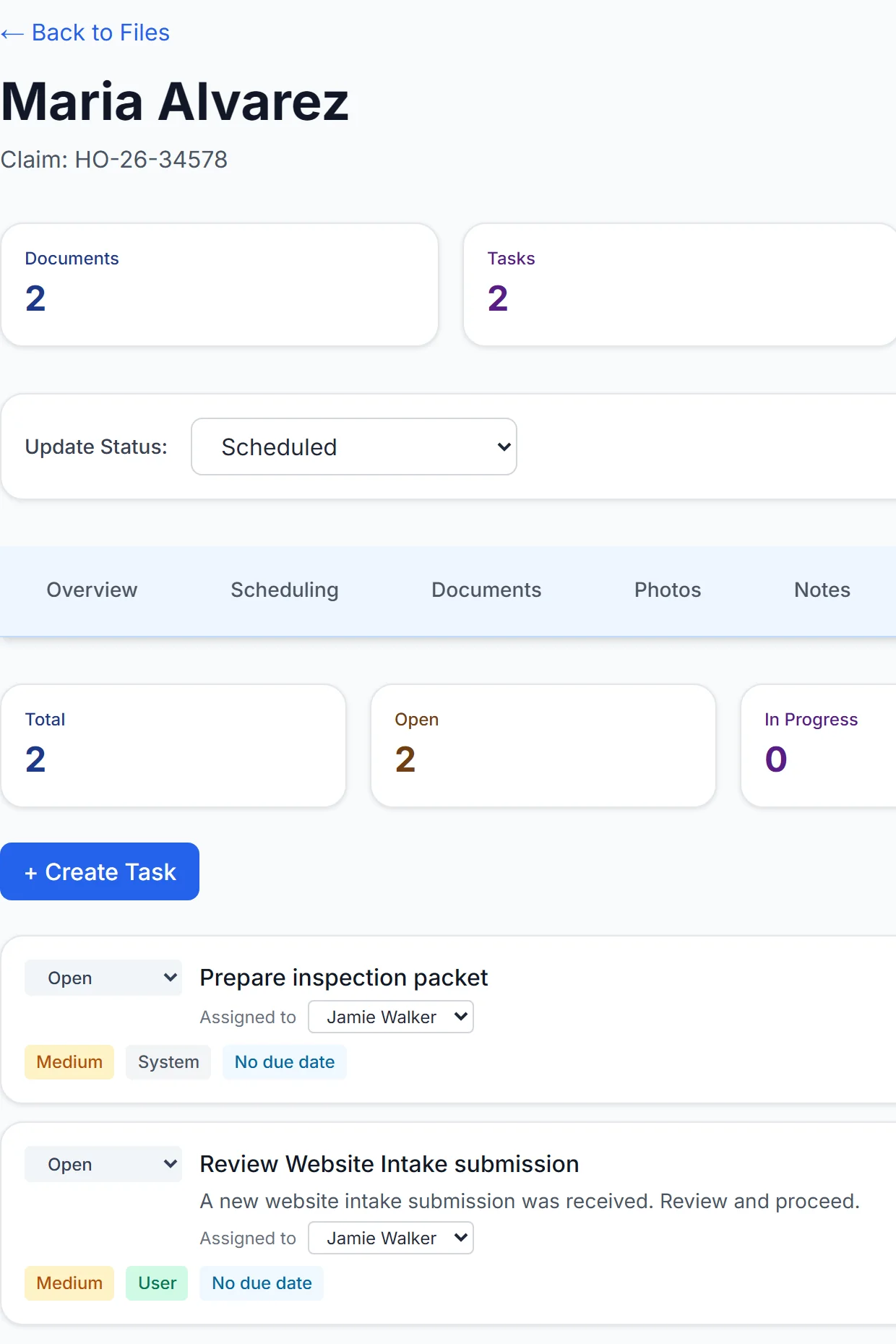
Thenexttaskisalreadythere.
When the inspection is scheduled, a rule adds the packet task to the file, marked as created by the system.
app.claimfilehq.com/files/HO-26-34578/tasks
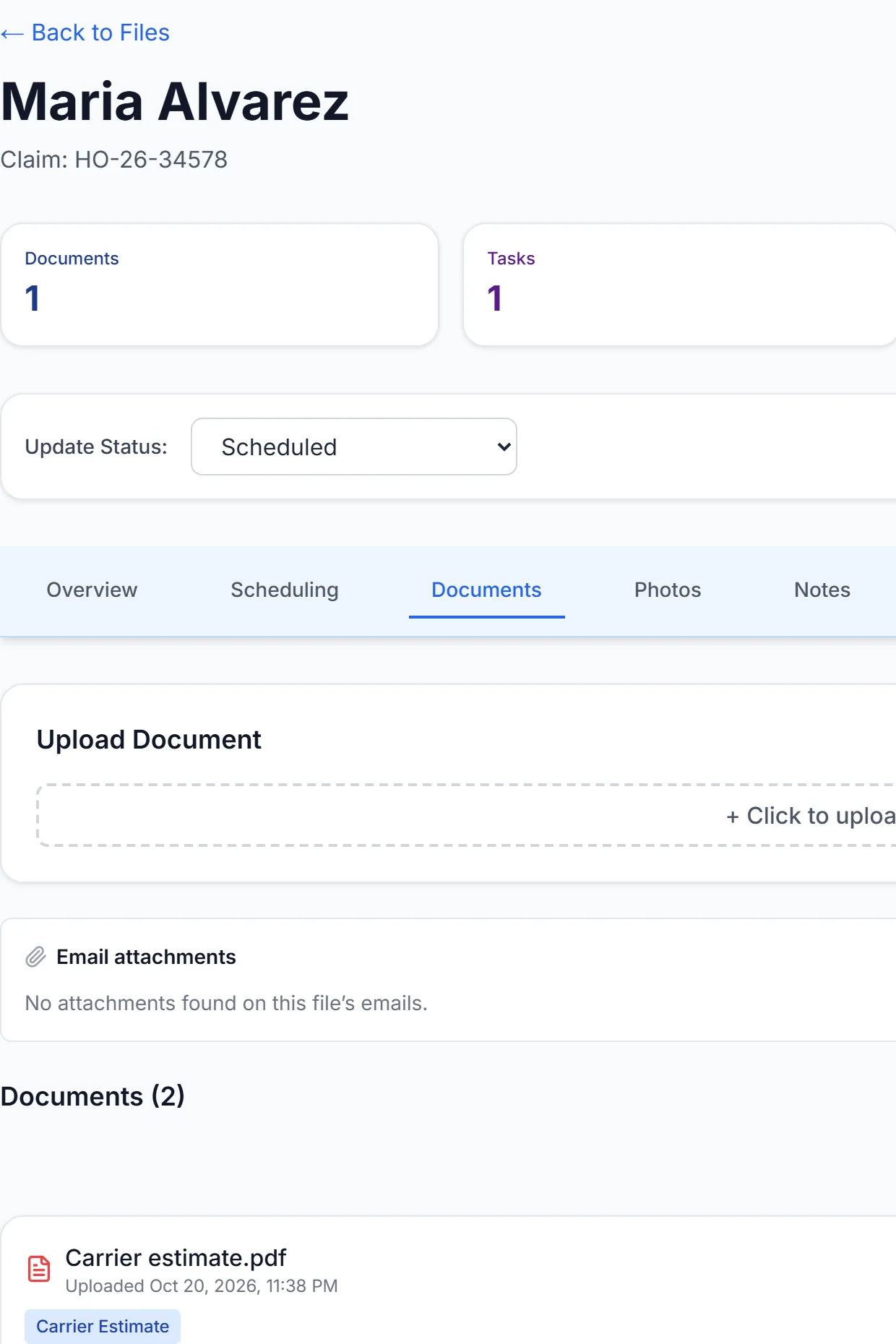
Documentslandontherecord.
The carrier estimate and other documents attach to the one claim file, where you can find them.
app.claimfilehq.com/files/HO-26-34578/documents
Thenitgoesonsitewithyou.
Today's appointments, the claim file and the photo camera are on your phone. Photos save on the phone first and send when you are back online. Drag across a run, pick a label template, and label them together.
TodayWednesday, October 7 • 2 appointments
Account
SYNCED
APPOINTMENTS
Home, 32 min drive, Leave by 9:55 AM CDT
10:30 AM CDTNEXT
Roof inspection
Maria Alvarez
27800 Tomball Pkwy, Suite 242, Tomball, TX 77375
Confirmed
18 min drive • 7.4 mi • Leave by 1:12 PM CDT
1:30 PM CDT
Reinspection
Priya Okafor
902 Brookside Ln, Frisco, TX 75034
Scheduled
Today's route
Home base + 2 stops • ~50 min driving
Open full route map
TodayFilesAlertsCalendar
File
HO-26-34578 (Maria Alvarez)
APPRAISALScheduledIN FIELD
Maria Alvarez
27800 Tomball Pkwy, Suite 242, Tomball, TX 77375
Meridian Mutual
Date of loss Oct 14, 2026
Assigned to you
Get directionsOptions
Street ViewSee the property from the street
PhotosLabel Photos
CONTINUE PHOTO CAPTUREUpload from phone
15 photos • 11 waiting
Photos18 photos
Done
All 18 synced ✓Last sync 9:42 AM CDT
0 waiting
All 18OrganizedUnlabeled 12Roof 6
Roof · Front Slope Shingles Hail Impact Close-Up✓
Roof · Front Slope Shingles Hail Impact Close-Up✓
Roof · Front Slope Shingles Hail Impact Close-Up✓
Roof · Front Slope Shingles Hail Impact Close-Up✓
Roof · Front Slope Shingles Hail Impact Close-Up✓
Roof · Front Slope Shingles Hail Impact Close-Up✓
No label✓
No label✓
No label✓
No label✓
No label✓
No label✓
No label✓
No label✓
No label✓
No label✓
No label✓
No label✓
1×2×4×
18
Done
Save & closeLabel photos (6)Save
LabelType a label, or tap a template belowFront Slope Shingles Hail Impact Close-Up
+ Add to my templates
Tap a label templateLabel: Front Slope Shingles Hail Impact Close-Up
Fills the Label above
RoofExteriorInteriorDetached StructuresSupporting+ New folder
Front Slope Shingles No DamageRoof☆Pin
Front Slope Shingles Hail Impact Close-UpRoof☆Pin
Rear Slope Shingles No DamageRoof☆Pin
Rear Slope Shingles Wind DamageRoof☆Pin
Left Slope Shingles Hail Impact Close-UpRoof☆Pin
Right Slope Shingles Hail Impact Close-UpRoof☆Pin
Ridge Ridge Cap Wind DamageRoof☆Pin
Vents Turtle Vent Hail DentsRoof☆Pin
DescriptionDescribe these photos
9:41
Coming to iPhone and Android. Photo capture is part of the Photo Engine. Optional module · +$59/mo.
A homeowner, a referrer or a carrier fills in your intake form on your own domain, in your brand, and the claim lands in your Intake list with every field they completed.
The intake form opens the file.
A homeowner or referrer fills in your form. The claim file appears with its first task, and nothing is re-keyed.
The next task is already there.
When the inspection is scheduled, a rule adds the packet task to the file, marked as created by the system.
Documents land on the record.
The carrier estimate and other documents attach to the one claim file, where you can find them.
Then it goes on site with you.
Today's appointments, the claim file and the photo camera are on your phone. Photos save on the phone first and send when you are back online. Drag across a run, pick a label template, and label them together.
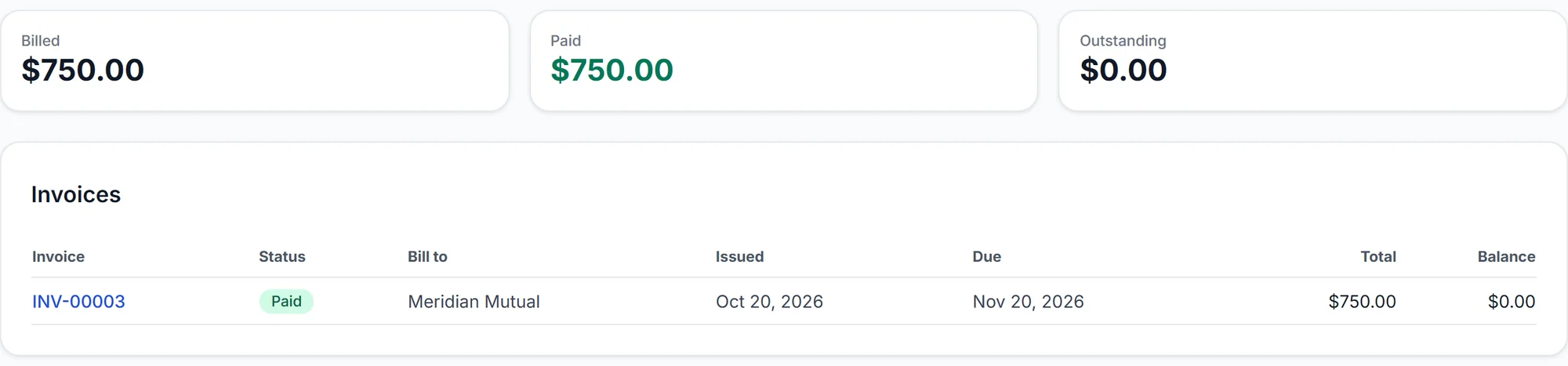
And the invoice comes from the same file.
Bill from the claim and record the payment. The invoice shows as Paid, with nothing left outstanding.
0:37 · 12 scenes. Plays full screen, so turn your phone sideways.
▸Transcript · 12 scenes
A claim arrives through your own website form.
The homeowner is thanked at once.
The claim file opens itself.
A rule you set acts when a file is scheduled.
It ran on its own: task created, note added.
The prep task is already waiting.
Tomorrow's inspections, routed for you.
Stops ordered, drive times included.
On site, photos are labeled and synced to the file before you leave the driveway.
Reports, estimates and photos land on the same record.
Invoice from the file. Get paid.
From first notice to final invoice, in one place. Start free trial
Real ClaimFileHQ screens and a recreation of the Field app · fictional demo data
Scenes showing route planning use Schedule Engine, an optional module (+$39/mo).
Scenes showing photo capture on site use Photo Engine, an optional module (+$59/mo).
What is included
The whole CRM is the entry plan, not the upgrade.
Nothing below is held back for a larger plan. Solo Professional is the complete claim-file CRM for one professional; the two field modules are the only capabilities priced separately.
Claim-file CRM
Every claim is a record with its own identity, workflow position, and history, not a row in a sales pipeline.
Clients & workflow management
Clients, contacts, and a separate workflow per source of work, all reporting into one dashboard.
Documents & claim photo storage
Policies, estimates, correspondence, and photographs stored and versioned against the file they belong to.
Notes & activity history
Internal notes plus a timestamped record of meaningful actions on every file.
Tasks & reminders
Work items with an owner and a due date, raised on the file rather than in someone's head.
Email on the claim file
Messages and attachments thread onto the record, so correspondence is not trapped in one inbox.
Automations
Rules that route files, create tasks, and send confirmations and reminders as events happen.
Appointment & inspection tracking
Appointments and inspections recorded against the claim, with the property and contact attached.
Reporting
Counts, statuses, and workload across files, clients, and client workflows, including when each runs its own stages.
Billing & invoicing
Invoices raised per file or per assignment, with outstanding balances tracked through closeout.
Every plan includes all of it, from Solo Professional up. The two modules below are the only capabilities priced separately.
Optional field modules
Two products for the work that happens at the property.
These two are the only things you pay extra for. Everything above is already in your plan; these add the work that happens at the property.
Schedule Engine
Optional module+$39/mo
Stop mapping addresses before you can offer a time.
Every plan already tracks appointments and inspections against the claim file.
Reads the inspection locations already on your calendar
Ranks dates by proximity to the stops you are already making
Recommends inspection dates and times that fit your schedule
Sends those windows to the parties as proposed times
Booking links, and auto-schedule into the best-fitting window
A booking approval queue before anything is confirmed
Wherever these appear in a screenshot or demonstration on this site, they are labelled as optional modules. Schedule Engine and Photo Engine are optional modules, priced separately. See pricing for full plan and module details.
Have an assistant?
One more person does not mean the next plan.
Solo Professional includes 1 user, and any plan takes additional users at $100/user/mo. Add users beyond the number your plan includes. Every user gets full access to the workspace, by role.
You, on your own
$199/mo
You and one assistant, on Solo Professional
$299/mo
An office with roles to separate, on Team
$499/mo
Team is the step up when the office needs a manager who assigns and a Reviewer / Quality Assurance Analyst who approves, not when it needs a second login. How the Team plan works
Working your files on your own? Solo Professional is the whole claim-file CRM, for one professional.
Every plan starts with a 15-day free trial. A card is required to start it.
When the trial ends, your card is charged the plan’s monthly price, plus any add-ons you choose, and the plan renews monthly until you cancel. Cancel anytime in Settings → Billing; it takes effect at the end of the current period, so cancelling during the trial means you are not charged.
Solo Professional or Team
The difference is how many people touch the file, not how much CRM you get.
Both run the whole claim-file CRM. What changes is whether anyone else is working in it with you.
Who works the files
Solo Professional
You. One licensed professional, running each file end to end.
Team
Your own staff, working the files together.
How work is handed out
Solo Professional
Nothing is handed out, every open file is yours.
Team
Assigned inside the shared workspace, with automations that route and assign across the team.
Who can see what
Solo Professional
One workspace, one professional in it.
Team
Every client, file, document, photo, and task is available across the organization, by role.
Roles and review
Solo Professional
No separate roles, you are the workspace.
Team
Reviewer / Quality Assurance Analyst and manager roles, each with their own permissions.
What the plan includes
Solo Professional
The complete claim-file CRM, from intake through billing.
Team
Everything in Solo Professional, plus the shared workspace, the roles, and a task dashboard across every open file.
Solo Professional compared with Team
Question
Solo Professional$199/mo
Team$499/mo
Who works the files
You. One licensed professional, running each file end to end.
Your own staff, working the files together.
How work is handed out
Nothing is handed out, every open file is yours.
Assigned inside the shared workspace, with automations that route and assign across the team.
Who can see what
One workspace, one professional in it.
Every client, file, document, photo, and task is available across the organization, by role.
Roles and review
No separate roles, you are the workspace.
Reviewer / Quality Assurance Analyst and manager roles, each with their own permissions.
What the plan includes
The complete claim-file CRM, from intake through billing.
Everything in Solo Professional, plus the shared workspace, the roles, and a task dashboard across every open file.
Schedule Engine and Photo Engine are optional modules, priced separately. See pricing for full plan and module details.
All plans
Three ways to run it.
Every plan includes the whole claim-file CRM. Pick by how the work is staffed.
Solo Professional· You are hereYou, working your own files.One professional running their own files end to end, from assignment through final package.$199/moIncludes 1 userStart with SoloEvery plan starts with a 15-day free trial. A card is required to start it.When the trial ends, your card is charged the plan’s monthly price, plus any add-ons you choose, and the plan renews monthly until you cancel. Cancel anytime in Settings → Billing; it takes effect at the end of the current period, so cancelling during the trial means you are not charged.